QBO Tip: Attach Statements

Did you know you can upload and attach your bank and credit card statements in QuickBooks Online? Even if your transactions are automatically imported to QBO, you should still reconcile your bank and credit card accounts using the statements because mistakes happens and reconciling will help ensure nothing is missed or double counted.
Attaching statements is super easy. Once you finished reconciling your account, view the History by account. Once at the History by account screen, you will see all of your finished reconciliations and can click "Attach" next to the reconciliation.

After clicking "Attach" QBO will bring up the following screen.
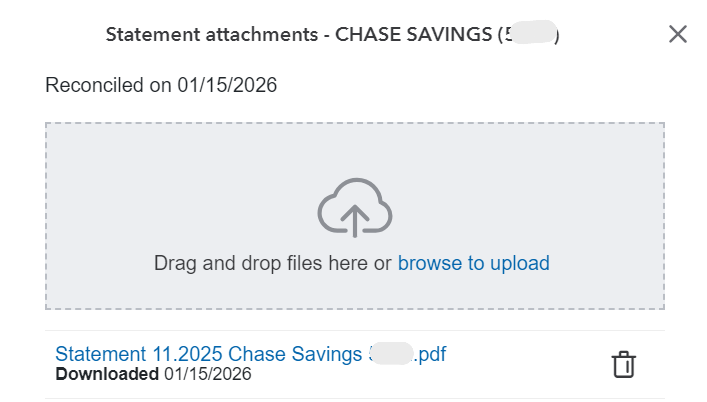
All you have to do is add the statements to this screen by dragging and dropping the files or browsing your computer and uploading. After adding the statements, you will see the uploaded statements under the upload box. When you exit this screen, the History by account screen will change "Attach" to "Attachments" and you can view the statements any time.
That's it, like I said, super easy!

Comments